
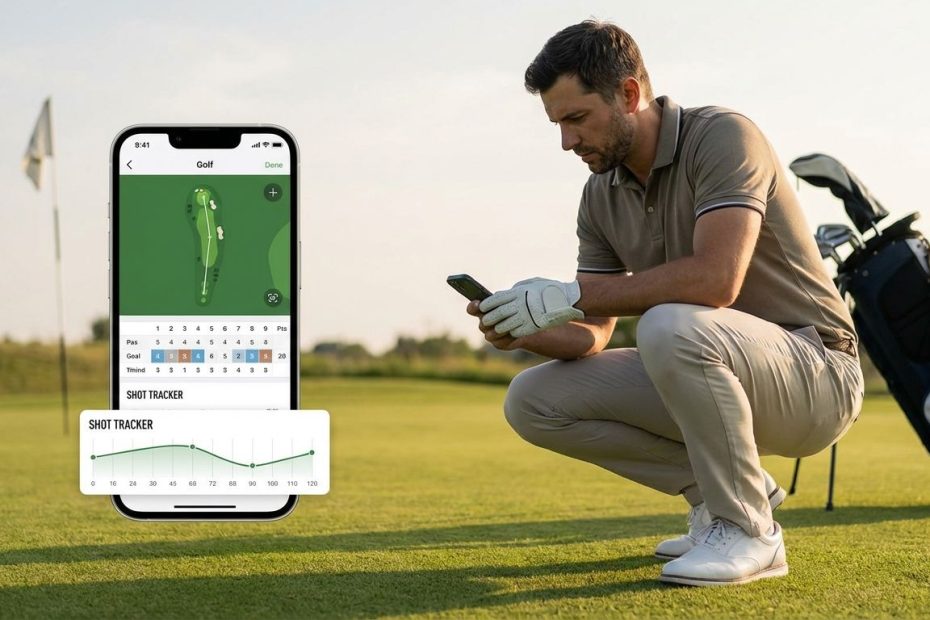
If you want to analyze and improve your golf game with real data, the best apps fall into three buckets: automatic shot tracking with strokes-gained analytics, GPS scoring apps with strong on-course tools, and swing analysis apps that tighten mechanics between rounds.
This guide breaks down seven standout golf apps that cover those needs, so you can pick the right stack for how you actually play, practice, and track progress. You’ll get clear “who this fits” guidance, what each app does best, what it costs in real terms, and how to use the data to lower scores rather than collect stats you never open.
1. Arccos Caddie (Best For Automatic Shot Tracking And Strokes-Gained Coaching)
If your goal is to turn every round into a performance review, Arccos Caddie sits near the top of the category. You use club sensors to capture shots automatically, then the app turns that round data into strokes-gained breakdowns, distance averages, and decision support that helps you manage the course with discipline. When this system clicks, it stops the common problem of “practicing what feels right” and forces you to practice what costs shots.
Arccos also works well when you care about strategy as much as swing mechanics. The platform’s value comes from pattern recognition over time, where misses occur, what distances create trouble, and what your “safe shot” really looks like when pressure rises. That kind of feedback changes club selection, target selection, and layup choices quickly, and those are the easiest strokes to save for most golfers.
Budget matters here. Many Arccos sensor purchases include a one-year subscription, after which a yearly fee applies, commonly listed at $99.99/year after the included year, depending on the offer and product bundle. If subscriptions are a hard “no,” this becomes a tougher recommendation, even when the analytics are excellent.
Use Arccos best by treating it like a quarterly performance plan. Commit to reviewing your strokes-gained categories monthly, then set one practice priority at a time. You’ll get better faster by fixing the largest leak, not by spreading effort across every part of the game.
2. Shot Scope (Best Subscription-Free Alternative For Deep Stats And Strokes Gained)
If you want serious post-round analysis but refuse another monthly bill, Shot Scope earns attention. The brand’s ecosystem is built around shot tracking and performance reporting without the same ongoing subscription pressure that frustrates many golfers elsewhere. That makes it easier to stay consistent for years, and consistency is what makes stats meaningful.
Shot Scope typically fits golfers who care about measurable improvement and can tolerate light cleanup after the round. No system captures every shot perfectly in real-world conditions, and the winning move is picking the product that matches your patience level. If you’ll correct a missed shot or edit pin positions without getting annoyed, you’ll get strong long-term value from the dataset Shot Scope builds.
From a coaching standpoint, Shot Scope shines when you use it to answer practical questions: Are tee shots costing penalty strokes, or is the damage happening from 80–140 yards, or is putting the true limiter? When you see the numbers, you stop guessing, and you stop copying the practice habits of better players whose needs don’t match yours.
To get the most out of Shot Scope, set up a simple review rhythm. After every round, confirm obvious misses, then look at one metric trend: dispersion off the tee, proximity from key wedge ranges, or three-putt frequency. A single focused metric drives better practice choices than a dashboard you scroll once and forget.
3. Golfshot (Best For Apple Watch GPS, Scoring, And Shot Tracking In One Place)
Golfshot is a strong choice when you want an on-course experience that feels polished: GPS distances, scoring, and the ability to track shots while keeping the round moving. It’s especially relevant if you play with an Apple Watch and want wrist-based usability that doesn’t feel like an afterthought. The watch experience matters more than people admit, since friction on the course is the fastest way to quit using an app.
Golfshot’s paid tiers are also unusually clear about pricing and what you get. Golfshot Pro is commonly listed at $79.99/year, and a higher tier (often called Champions) is commonly listed at $99.99/year. The feature set emphasizes on-course decision tools, shot tracking, and deeper analysis that’s meant to support better club selection and smarter targets over time.
Golfshot fits golfers who want a single app to handle the round, not a split workflow where one app does GPS and another does stats. The real performance benefit comes when you actually log shots consistently and then use the trends to set practice priorities. If you only want distances, free GPS options exist, but they won’t push your game forward the same way.
To maximize Golfshot, set up your bag and clubs properly, then commit to a “clean round log” habit. After the round, review shot patterns around trouble holes and compare scoring outcomes when you play aggressive lines versus conservative ones. That’s where lower scores show up fast, before swing changes even settle.
4. 18Birdies (Best For “Plays Like” GPS, Social Rounds, And Easy Improvement Tools)
18Birdies remains a popular pick when you want GPS, scoring, and a lively ecosystem that makes it easy to play with friends, compare rounds, and keep momentum. For many golfers, the best app is the one you’ll actually open every round, and 18Birdies tends to win on usability and adoption. That matters, since the best analytics engine in the world is useless if it sits idle.
The premium tier is where 18Birdies leans into improvement tools: “plays like” distances that adjust for conditions, deeper stats, and add-ons that support practice planning. Pricing is commonly listed at $99.99/year, with monthly and weekly options also commonly shown at $19.99/month and $7.99/week. Those numbers are easy to justify if you play often and actually use the premium features during the round.
18Birdies fits golfers who want actionable help without turning the round into a data-entry session. You’ll get value from on-course features that improve decision-making under real conditions, and that’s where scoring moves first. Better decisions reduce doubles and triples, and that moves handicaps faster than chasing one perfect swing thought.
Use 18Birdies with a simple performance rule: pick one decision metric to improve for a month. That can be “no hero shots from trees,” “no flag-hunting from trouble yardages,” or “no aggressive lines when a bogey is acceptable.” The app supports those choices with yardage and planning tools that make discipline easier.
5. TheGrint (Best For Scorekeeping, Social Competition, And Handicap-Oriented Tracking)
TheGrint is a strong fit when you care about scorekeeping, stats, and a social layer that keeps rounds fun and competitive. It also appeals to golfers who want handicap-oriented workflows and a platform that feels built around rounds played with other people, not just private stat collection. If friends already use it, that alone can be the deciding factor, since shared rounds drive consistency.
Pricing and tiers vary, but the core idea is straightforward: a free tier for basics, and paid tiers for deeper stats and features. TheGrint’s own pricing pages often show an annual option around $59/year for a base plan, and a Pro tier around $7.99/month or $59.99/year depending on plan structure. If you want advanced stats without the highest-end price tag, that positioning is attractive.
Handicap handling is a point to watch across the market, since golfers want clarity on what is “official,” what integrates with external systems, and what requires added fees. TheGrint has also promoted options connected to its own handicap offering, including messaging around trials and low annual pricing for that number in some announcements. The practical takeaway is to decide what you need: social scorekeeping, practice-driving stats, official posting, or all three.
To get performance value from TheGrint, use it as a round log first and a stats tool second. Keep your scoring data clean, track fairways and greens honestly, and review “blow-up holes” after the round. When you eliminate one recurring mistake per month, the handicap moves without needing a full rebuild.
6. V1 Golf (Best For Video Swing Analysis And Coach-Friendly Feedback Loops)
V1 Golf is for golfers who want swing analysis through video, with tools that support slow-motion review, key position checks, and structured feedback. It’s also useful when you work with an instructor and need a smooth way to capture swings, annotate them, and keep a library that shows progress over time. Many golfers hit plenty of balls and still plateau, and video solves the “feel versus real” problem fast.
This app fits best when you treat your swing like a repeatable motion you can audit. You record swings from consistent angles, compare them to earlier swings, and build a short list of changes that remain stable under speed. You’ll get more improvement by cleaning up one priority move than by collecting ten tips and rotating them every session.
V1 also works well when you pair it with on-course stats from a GPS or shot tracking app. Stats tell you what is costing shots, and video helps you address the likely mechanical causes. That pairing keeps you from chasing mechanics that don’t actually influence your scoring profile.
Use V1 with discipline. Capture a small set of swings weekly, label them by club and intent, and review them with one technical goal at a time. Track whether the change holds at normal speed, not just in a slow rehearsal.
7. GolfFix AI (Best For Fast AI Swing Checks And Drill Guidance)
GolfFix AI targets golfers who want quick, automated swing feedback without heavy editing or long analysis sessions. The appeal is speed: record, get flags on likely issues, then move into drills that match what the app detected. That can keep practice sessions focused when you don’t have a coach present.
AI swing tools work best when you treat them as a sorting system, not a final verdict. The real win is consistency: the app helps you spot repeated faults and build a practice routine that addresses them. You still need to validate results with ball flight, contact quality, and your on-course patterns, since a swing that “looks better” doesn’t always score better.
GolfFix AI also fits golfers who want structure. If practice tends to drift into random bucket-hitting, an app that assigns issues and drills forces a plan. A plan is what builds change, and change is what shows up on the card.
To use it well, record swings under the same conditions, lighting, angles, and tempo. Keep your focus on one or two detected priorities for multiple sessions, then reassess. Jumping between issues each session creates noise and stalls improvement.
Quick Buying Filters That Prevent A Bad Pick
Golfers waste money when they buy features that don’t match habits. If you won’t edit shots after a round, don’t pick a system that needs frequent cleanup. If you hate subscriptions, pick an ecosystem where ongoing fees don’t sit between you and your own data.
Start with how you prefer to track. Automatic tracking reduces effort but can introduce missed shots that require review. Manual tracking increases accuracy if you stay consistent, but it demands discipline, and discipline is the scarce resource during a real round.
Also decide whether improvement is your real priority. If the app is mainly a GPS rangefinder, pick a clean interface and reliable yardages. If the app is a scoring improvement tool, pick one that produces trends you’ll review monthly and that turns those trends into a practice plan.
Make the choice once, commit for a season, and measure change with a short list of metrics. A stable dataset beats switching platforms every time an ad or subscription price annoys you.
How To Use Golf App Data To Drop Strokes In 30 Days
The fastest scoring gains come from eliminating predictable mistakes, not from rebuilding the swing in a week. App data makes this measurable: penalties off the tee, short-game inefficiency, three-putts, and approach dispersion from common yardages. Those categories produce the biggest swing in scores for most recreational golfers.
Pick one category and set a hard standard for four rounds. That can mean zero penalty shots, no short-sided chips when a safer target exists, or no risky pins when the miss brings double into play. Your app becomes an accountability tool, not just a scorecard.
Practice should mirror the data. If the app shows missed greens from 110–140 yards, build a wedge distance ladder and track proximity. If putting is bleeding strokes, measure make rate from 4–8 feet and lag proximity from 25–45 feet.
When you measure one thing consistently, you improve it. When you measure ten things casually, you improve none of them. Use your app to force focus and keep the plan honest.
Best Golf App To Improve Your Game
- Automatic shot tracking + strokes gained: Arccos, Shot Scope
- Best GPS + Apple Watch round experience: Golfshot
- Best “plays like” tools + social rounds: 18Birdies
- Best scorekeeping + handicap-oriented play: TheGrint
- Best swing video analysis: V1 Golf, GolfFix AI
Build Your “One Stack” And Commit For A Season
A smart setup is one primary on-course app, one swing tool only if you’ll use it weekly, and one review habit that happens every month without fail. Automatic shot tracking systems earn their keep when you review strokes-gained categories and act on them with focused practice. GPS-first apps earn their keep when you use them to choose smarter targets, avoid blow-up holes, and keep pace while still capturing clean scoring data.
Pick the tool that matches your patience, your budget, and how you actually behave on the course. Then stay with it long enough to build a dataset that reveals patterns, not random noise. When you align the app’s strengths with your habits, the scores follow, and the improvement feels repeatable rather than lucky.

Barry Bekkedam is an entrepreneur and finance executive focused on investment management and advisory. A former Villanova standout and member of Canada’s men’s national basketball team, he now leads ventures in asset management and philanthropy, including the Barry Bekkedam Foundation supporting education and community development.