
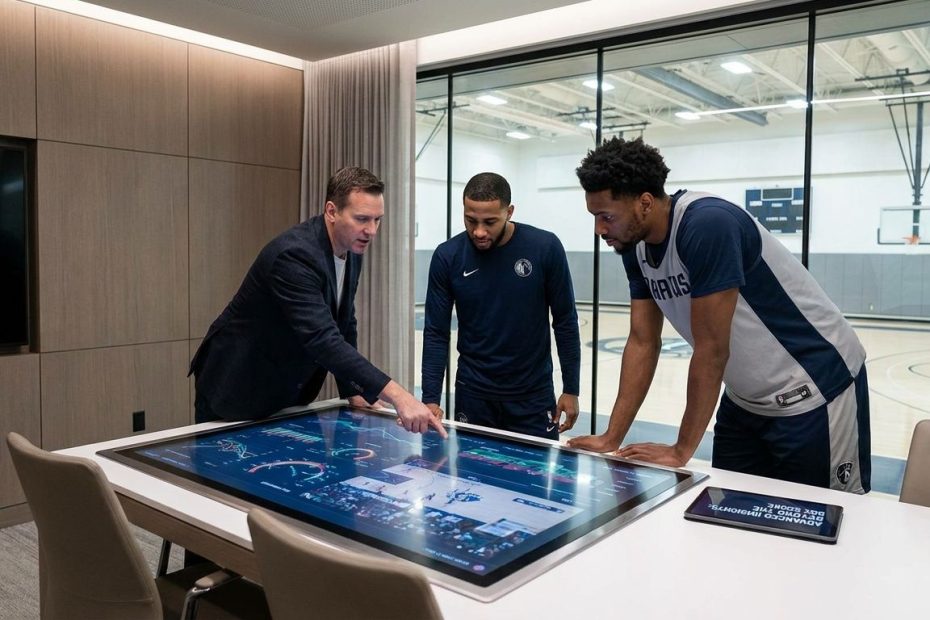
Basketball video analysis turns game film into searchable proof: who created the shot, where the advantage started, which lineup changed the game, and why a possession broke down. The box score gives you totals; video analysis gives you the chain of events behind those totals.
If you coach, train, scout, or support a player, the right app helps you stop guessing from points, rebounds, and assists alone. You’ll see which basketball video analysis tools fit team review, opponent scouting, custom tagging, phone-based artificial intelligence highlights, and individual player development.
#1: Hudl / Hudl Assist For Team Video, Stats, And Player Review
Hudl is the safest default pick when you need one basketball video analysis system for a real team workflow. You can capture games, upload film, share clips, review player performance, build scouting material, and connect stats to video without forcing your staff to juggle too many disconnected tools.
The real value is not that Hudl gives you more numbers. The value is that it gives those numbers a video trail, so you can click from a stat to the exact possession and coach the behavior behind it. A missed shot becomes more than a miss; it becomes a spacing problem, a rushed read, a late pass, or a good shot your player should keep taking.
Hudl Assist works well for teams that need consistent breakdowns without spending late nights tagging every event by hand. It covers basketball data points that go beyond the standard box score, including effective field goal percentage, plus-minus, lineup efficiency, individual minutes, points per possession, free throw factor, offensive rebounding percentage, defensive rebounding percentage, deflections, transition points, shot charts, goals, trends, and opponent reports.
Those categories matter because a box score can flatter the wrong player and punish the right one. A guard might finish with eight assists, but video may show three forced passes that led to bad floor balance and transition points the other way. A forward might score only six points, yet the lineup efficiency clips may show that the offense opened up every time that player screened, rolled, sealed, and moved bodies.
Hudl is also strong when you need player accountability without turning film review into a lecture. You can create clips for individuals, position groups, or the full roster, then attach the exact possessions you want them to study. That means your message becomes specific: close out under control, tag the roller earlier, sprint to the corner, reverse the ball on the second side, or finish the possession with a body on the glass.
For high school and club coaches, time is often the real opponent. You might teach classes, run a program, manage parents, plan practice, scout an opponent, and still need to send useful clips before players mentally move on from the game. Hudl Assist is built for that pain point, especially when you want reliable reports tied directly to video.
Use Hudl if your staff wants a broad basketball video platform rather than a narrow stats tool. It can support scouting, recruiting, player development, postgame review, and season-long trend tracking. The best fit is a coach who wants to see what happened, attach it to film, and get the lesson to players quickly.
Where Hudl can feel limiting is deep custom analysis. If you want to create your own tagging language for every off-ball screen, peel switch, low-man rotation, ghost screen, and late-clock decision, you may eventually want a tool with more analyst control. For most school and club environments, though, Hudl gives you enough structure to improve without burying your staff in setup.
Think of Hudl as your full-team operating base. You use it when you want the postgame answer to be visible, teachable, and easy to share. It’s the right pick when the question is, “Can the whole team learn from the film before the next practice?”
#2: Synergy Sports For Play Types, Lineups, And Advanced Scouting
Synergy Sports is the tool you choose when the box score feels too shallow for the decisions you need to make. It is built for advanced basketball analytics, scouting, and possession-level review, especially when you care about how points were created instead of only who scored them.
A traditional stat sheet may tell you a player scored 18 points. Synergy-style analysis can help you see whether those points came in transition, spot-up chances, pick-and-roll possessions, cuts, post-ups, off-screen actions, or broken-floor situations. That detail changes how you guard, who you match up with, and which shots you’re willing to concede.
Synergy’s Basketball Analytics app includes multi-game shot charts, player tendencies, team tendencies, defender data, play-type statistics, lineup analysis, play-call analysis, filters, and access from data points to related video. That is exactly where the box score starts to lose the plot. Two teams can shoot the same percentage, yet one team may be living off clean corner threes and rim attempts, while the other is making contested pull-ups that you’ll accept over a full game.
Lineup analysis is one of Synergy’s strongest areas for serious basketball staffs. You can study five-person groups, then narrow the view to smaller player combinations. That matters because a team’s best five individual players are not always its best five-player unit.
You might discover that a bench guard improves pace, a backup big unlocks better spacing, or a low-usage wing makes the defense function because rotations become cleaner. The box score rarely gives you that answer. It gives individual totals, not the performance of the group.
Play-call analysis is another reason Synergy belongs near the top of this list. You can evaluate which sets produce value, which counters are working, and which opponent actions create the same problem again and again. If your after-timeout plays look good on paper but generate late-clock bailouts, the video makes that clear.
Synergy is especially useful for opponent preparation. You can look at where an opponent prefers to attack, which players finish certain actions, who struggles against pressure, and which shot zones become dangerous when a certain lineup is on the floor. That lets you walk into practice with a film-backed plan instead of a scouting report built on surface numbers.
The trade-off is access, cost, and staff readiness. Synergy is not the casual player’s app, and it is not the simplest choice for a coach who only needs quick clips for tomorrow’s practice. You get the most value when your program has the time, level, and tactical need to act on advanced basketball video data.
Choose Synergy if you scout serious opponents, manage detailed game plans, or need to understand play-type efficiency at a deeper level. It shows what the box score hides by breaking the game into actions, locations, defenders, lineups, and video proof. For advanced basketball decision-making, that’s hard to beat.
#3: Nacsport For Custom Tagging, Live Analysis, And Coach-Controlled Film
Nacsport is the right basketball video analysis app when you don’t want the software to decide your categories for you. You build the tagging system around your team’s language, your defensive rules, your offensive habits, and the details your staff values most.
That matters because some of the most coachable events never appear in a box score. Closeout angle, missed tag, late stunt, poor spacing, weak-side cut, screen timing, paint touch, forced pass, poor sprint-back effort, and set execution all shape the game. Nacsport lets you tag those moments on your terms.
The platform offers desktop analysis, live workflows, Tag&view, KlipDraw, and Hub. Nacsport Live can send video and data to the bench, and Tag&view supports live tagging from an Apple mobile device. Hub adds online tagging, team sharing, presentations, and bench access through Hub Live.
This makes Nacsport useful when you have a staff member who can think like an analyst during the game. You can tag possessions as they happen, build a clip bank, then review the exact moments that support your halftime or postgame message. That saves you from vague coaching language.
A box score might show you lost the rebounding battle by nine. Nacsport can help you tag whether that came from poor first contact, guards failing to crack back, bigs chasing blocks, or bad shot selection leading to long rebounds. Once you separate the causes, practice planning becomes sharper.
Nacsport also gives you room to create categories tied to your style of play. If you press, you can tag trap quality, back-line coverage, rotation speed, and fouls after the first pass. If you run motion offense, you can tag spacing, second-side touches, screen angles, and whether the possession reached the shot profile you wanted.
The presentation side is a real strength. You can pull clips into player meetings, add drawings or visual markers, and share the work with the team. Good video teaching depends on clarity; players need to see the moment, the correction, and the repeatable standard.
Nacsport is less plug-and-play than phone-first artificial intelligence tools. It rewards staff discipline and a clear tagging plan. If your team doesn’t know what it wants to measure, the blank canvas can become messy fast.
The best way to use Nacsport is to start with a small tag set. Track the actions that decide your games: transition defense, paint touches, contested threes, ball-screen coverage, offensive rebounding chances, and late-clock shot quality. Add more tags once your staff can review the first batch cleanly.
Choose Nacsport if your program wants control. It shows what the box score hides by letting you name, tag, sort, and teach the basketball details your team actually trains. For coaches who care about tactical evidence, it’s a strong fit.
#4: Hooper For Phone-Based Artificial Intelligence Stats And Highlights
Hooper is the most interesting pick for players, parents, pickup runs, small leagues, and teams that want basketball video analysis without a large camera setup. It uses smartphone video, computer vision, and artificial intelligence to create stats, shot-by-shot data, and highlights.
The selling point is simple: record or upload basketball video, then let the app identify actions, track makes and misses, build player stats, and create clips. You don’t need a special camera system. You don’t need a full-time video coordinator. You need a phone angle that the app can read.
Hooper’s appeal comes from removing dead time. Anyone who has searched through a full game recording knows how much time gets wasted looking for the useful possessions. Hooper is designed to cut that down by surfacing highlights, shots, and player activity from the video.
This is where it shows what the box score hides for everyday players. A pickup run rarely has a reliable stat keeper. A parent filming a game may capture every possession but still have no easy way to find makes, misses, or progress across sessions. Hooper turns that raw video into something you can review.
The app is especially useful for players who want proof of development. You can look at shot efficiency, saved sessions, highlights, and repeated patterns instead of relying on memory. A player may feel like the pull-up jumper is improving, but video clips and shot tracking will confirm whether that confidence matches the results.
Hooper can also help small teams that don’t have the budget for a full team-analysis setup. If you’re coaching a youth group, managing a small league, or recording tournament games, phone-first analysis gives you a lower-friction way to capture useful material. It won’t replace a full scouting platform, but it can make your video far more usable.
You should still respect the limits of phone-based artificial intelligence. Accuracy depends on setup, angle, lighting, player visibility, and whether the video gives the system enough clean information. If players overlap, bodies block the ball, or the camera angle is poor, automated tracking can miss events.
That means you should treat Hooper as a practical film helper, not a courtroom record. Use it to speed up review, create highlights, track progress, and locate possessions worth studying. For formal team decisions, verify important clips before you change roles, rotations, or scouting plans.
Hooper is the best fit when speed and convenience matter more than enterprise-grade depth. It helps you turn casual video into basketball data, which is a big step for players who previously had nothing beyond memory and a few saved clips. If you want your phone to do more than record, Hooper belongs on your shortlist.
#5: HomeCourt For Individual Shooting, Ball-Handling, And Skill Feedback
HomeCourt is the best-known option in this list for individual basketball training. It uses a phone or tablet camera to track performance, giving players feedback on shooting, ball-handling, and skill work.
The box score is almost useless for individual training mechanics. It tells you whether shots went in during a game, but it doesn’t tell you release speed, shot rhythm, workout volume, drill pace, or whether you’re building repeatable habits. HomeCourt focuses on those training details.
The app is built around real-time feedback and guided drills. You can track shots, review progress, and use the camera to measure parts of your workout that a notebook can’t capture. For players who train alone, that can add structure and accountability.
HomeCourt is especially helpful for shooters. You can track makes and misses, chart workout history, review form, and make sessions feel measurable. A player who takes 300 shots in a gym but logs nothing often walks out with a feeling; a player who tracks the work walks out with usable data.
It also gives coaches and trainers a way to talk about improvement with more precision. Instead of saying a player needs to shoot faster or handle the ball harder, you can point to tracked release time, dribble speed, workout pace, and progression. That makes player development less vague.
The strongest reason to include HomeCourt is its role in the individual-development lane. Hudl and Synergy are team and scouting tools. Nacsport is a coach-driven analysis system. Hooper is a phone-first game and highlight tool. HomeCourt is where you go when the main question is, “What does this player need to improve during training?”
There is one practical caveat. Users in basketball training communities have raised concerns about app maintenance and update activity. That does not erase the value of the tool, but it does mean you should check current device compatibility, subscription details, and feature availability before committing your routine to it.
HomeCourt works best when you treat it as part of a training plan, not the plan itself. You still need purposeful workouts, game-speed reps, form review, and coaching feedback. The app helps you measure and review, but the work still has to be structured.
Choose HomeCourt if you’re an individual player, parent, trainer, or coach focused on skill progress rather than opponent scouting. It shows what the box score hides by capturing how a player trains, not just what a player produced in a game. That makes it a smart fit for shooting development and solo gym work.
Which App Fits Your Basketball Workflow?
|
App |
Best Fit |
What The Box Score Misses |
Best User
|
|
Hudl / Hudl Assist |
Team video, stats, review, and sharing |
Shot zones, lineup efficiency, points per possession, opponent trends, clips tied to stats |
High school, club, and college coaches |
|
Synergy Sports |
Advanced scouting and play-type breakdowns |
Play types, defender data, lineup groups, play-call value, shot chart filters |
College, professional, and serious scouting staffs |
|
Nacsport |
Custom tagging and analyst-led review |
Coach-defined tags, live bench review, tactical clips, custom presentations |
Teams with an analyst or detail-heavy coaching staff |
|
Hooper |
Phone-based artificial intelligence stats and highlights |
Auto-created clips, shot-by-shot tracking, player stats, social highlights |
Players, parents, small teams, pickup groups |
|
HomeCourt |
Individual shooting and skill feedback |
Release time, shot tracking, dribble speed, vertical jump, skill progress |
Individual players and trainers |
The choice starts with your job. If you need full-team review and a clean workflow for players, Hudl sits near the top of the board. If you need a scouting-grade breakdown of how teams score, Synergy Sports gives you deeper possession detail.
If you build your own tags and want full control, Nacsport is the analyst’s tool. If you want a phone to create basketball stats and highlights with less setup, Hooper fits that lane. If the goal is individual shooting and skill feedback, HomeCourt remains one of the best-known training apps, with one practical warning: verify device support and app activity before you build your whole routine around it.
How To Choose The Right Basketball Video Analysis App
Start with the decision you need the app to improve. If you need better team film review, choose a team platform. If you need opponent scouting, choose a scouting-grade tool. If you need individual improvement, choose a training app.
You’ll waste money if you buy the deepest tool for the wrong job. A parent filming a middle school player does not need a professional scouting database. A college staff preparing for opponent tendencies should not rely only on a phone highlight app.
For most team coaches, the first filter is workflow. Ask whether the app helps you capture video, organize clips, share with players, and connect teaching points to possessions. If your staff can’t use it after a long game night, the features won’t matter.
The second filter is tagging style. Automated tagging saves time, but custom tagging gives you control. If your team uses very specific terminology or wants to measure details that normal stats ignore, Nacsport-style customization may fit better than a preset report.
The third filter is budget and staff capacity. Advanced platforms are only valuable if someone has time to study the data and convert it into practice changes. If nobody owns the review process, you’ll end up with a lot of numbers and very little teaching.
You should also think about player access. The best basketball video analysis app is the one your players will actually review. Short clips, clear labels, and focused playlists beat long uploads with no direction.
Accuracy deserves attention, especially with artificial intelligence tools. Phone-based apps can be useful, but camera angle and visibility matter. If you’re making lineup decisions, role changes, or scouting calls, check the film before accepting an automated stat as final.
Use a simple rule: choose the app that makes the next coaching action easier. If it helps you teach spacing, adjust a coverage, track a shooter, evaluate a lineup, or prepare for an opponent, it’s doing its job. If it only creates dashboards nobody uses, move on.
What Basketball Stats Matter More When You Add Video?
Effective field goal percentage becomes more useful when it is tied to shot quality. A player shooting 38 percent from three may be taking late-clock pull-ups, clean corner threes, or rushed attempts after poor spacing. The number starts the question; the video answers it.
Points per possession also gains value with film. If your sideline out-of-bounds plays produce low points per possession, the issue may be the design, the screen timing, the inbounder’s read, or the shot you’re accepting. Without video, you’re guessing which part failed.
Lineup efficiency is another stat that needs video. A lineup may rate well because it defended, rebounded, and ran. Another lineup may score but give up transition chances after bad shots. The video tells you whether the unit’s success is repeatable.
Plus-minus can be useful, but only when you protect yourself from lazy readings. A player may post a good number because they played with your best group. Another player may post a poor number because they carried minutes against the opponent’s strongest lineup.
Turnover percentage becomes more coachable with clips. You can separate ball-handling errors from spacing errors, poor timing, over-dribbling, bad screening angles, and risky passes. That makes your correction far cleaner.
Rebounding data also needs film to become fair. A guard may have few rebounds because their assignment is to get back in transition. A big may have good rebounding totals but miss block-outs that give the opponent extra chances. The box score rewards the final grab; video shows whether the team did the work.
Shot charts are where basketball video analysis shines. You can see whether your offense is producing rim attempts, paint touches, corner threes, rhythm jumpers, or low-value contested shots. When the chart and the clip agree, your practice priorities become obvious.
Common Buying Mistakes To Avoid
The first mistake is buying for features instead of use. A long feature list looks good during a demo, but your staff needs a tool that fits the week-to-week rhythm of your season. If the app adds steps without improving decisions, it becomes another chore.
The second mistake is ignoring who will run the workflow. Video analysis needs ownership. Someone has to tag, review, clip, share, and turn findings into practice work.
The third mistake is giving players too much film at once. A 40-minute upload with no labels is rarely useful. Players need short clips, clear instructions, and a small number of corrections they can act on immediately.
The fourth mistake is treating artificial intelligence output as perfect. Automated tools can save time, but basketball is crowded, fast, and messy. Review important plays before you rely on the numbers.
The fifth mistake is looking only at makes and misses. Shot process matters. Good offenses can miss good shots, and bad offenses can make tough ones for a night.
The sixth mistake is separating stats from coaching language. If your staff talks about paint touches, gap help, weak-side positioning, and second-side action, your video tags should match that language. Players learn faster when the film review sounds like practice.
The seventh mistake is choosing a tool that cannot grow with your needs. A small team may start with basic clips, then add shot charts, lineup review, custom tags, and player-specific playlists. Pick a product that supports the level of detail you expect to use.
Which Basketball Video Analysis Apps Are Best for Your Coaching Needs?
- Best overall team app: Hudl.
- Best advanced scouting app: Synergy Sports.
- Best custom tagging app: Nacsport.
- Best phone highlights app: Hooper.
- Best training app: HomeCourt.
Turn Film Into Better Basketball Decisions
The box score is useful, but it is never the full story. Hudl gives most teams the best all-around path for video, stats, and player review; Synergy Sports fits staffs that need play-type and scouting depth; Nacsport gives you custom control over the details your team teaches; Hooper turns phone video into fast stats and highlights; HomeCourt helps individual players measure skill work. Choose the app based on the decision you need to improve, then build a repeatable habit around short clips, clear labels, and film-backed coaching. When you use video this way, your team stops arguing with totals and starts fixing the possessions that created them.
References
- Hudl basketball video analysis software and platform details.
- Hudl Assist basketball reports, data points, video-linked stats, shot charts, trends, and lineup efficiency.
- Synergy Sports Basketball Analytics overview, including shot charts, play-type statistics, lineup analysis, play-call analysis, filters, and video access.
- Sports Business Journal reporting on Sportradar, Synergy Sports, Hawk-Eye cameras, tracking data, and National Basketball Association team use.
- Nacsport Hub details for online video analysis, tagging, presentations, sharing, Hub Live, and multi-angle uploads.
- Nacsport real-time analysis notes covering live tagging and game analysis workflows.
- Hooper official product details for smartphone artificial intelligence basketball analysis, player recognition, event tracking, highlights, shot-by-shot analytics, and stated tracking accuracy.
- Hooper App Store listing for artificial intelligence shot tracking, highlights, player stats, game logging, and ratings information.
- HomeCourt official site for real-time feedback, basketball training, guided drills, shot tracking, and device setup.
- HomeCourt App Store listing for camera-based performance tracking, workout history, skill ratings, and shot tracking.
- Community discussion raising maintenance and update concerns around HomeCourt.
- Basketball coaching community discussion on Hudl stats, shot-location data, video clips, and coach use cases.

Barry Bekkedam is an entrepreneur and finance executive focused on investment management and advisory. A former Villanova standout and member of Canada’s men’s national basketball team, he now leads ventures in asset management and philanthropy, including the Barry Bekkedam Foundation supporting education and community development.