
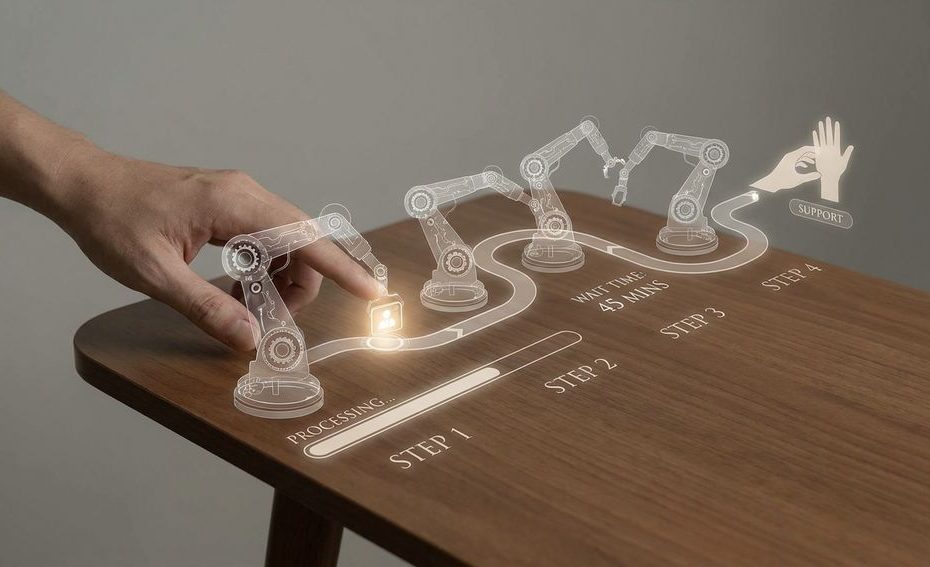
Automation feels slow when it adds steps before it solves the customer’s actual problem. A customer stuck in a chatbot loop, a phone menu, or a support page maze may be interacting with fast software, but the service still feels slow when nothing useful happens.
This is the automation paradox in customer experience: your system may reduce internal handling time, yet increase the customer’s effort. You’ll see why that happens, how perceived wait time changes the customer’s reaction, and how to keep automation without making people feel ignored.
Why Do Faster Systems Feel Slower To Customers?
Faster systems feel slower when they optimize the company’s workflow instead of the customer’s goal. Speed loses value when the customer has to translate their problem into the system’s rigid options.
Automation often measures speed from the inside. Your dashboard may show shorter average handle time, fewer human touches, and more completed self-service sessions. The customer measures something different: how long it takes to feel understood, get a useful answer, and stop repeating the same details. Those two measurements can point in opposite directions.
A chatbot can respond in one second and still waste five minutes. An Interactive Voice Response (IVR) menu can route calls quickly and still feel like a wall. A support portal can collect the right ticket fields and still frustrate someone who only needs a direct answer. When automation feels slow, the problem usually isn’t raw processing speed; it’s the number of unnecessary decisions placed between the customer and resolution.
How Does Automation Break The Human Connection?
Automation breaks the human connection when it makes customers feel managed rather than helped. Trust drops when the system blocks access to a person, ignores emotional signals, or treats every issue as a standard transaction.
Customers don’t reject automation by default. Many people prefer self-service for simple tasks like checking an order status, resetting a password, or updating basic account details. The problem starts when the same automated path handles urgent, complex, or emotionally loaded issues. At that point, the customer needs judgment, not another scripted prompt.
PwC found that most consumers want more human interaction, not less, especially when service gets complex. That preference matters because trust is built during moments of uncertainty. If a customer feels the company is hiding behind automation, every extra prompt feels like avoidance. A fast answer from a human can feel better than a fast response from software that misses the point.
Where Does Friction Hide In Automated Customer Journeys?
Friction hides in repeat questions, dead-end menus, missing escalation paths, poor handoffs, and workflows that force customers to fit the system’s categories. These small delays stack up until the service feels slower than a manual process.
The most frustrating friction is often invisible to your operations team. A customer enters their account number, explains the issue to a bot, chooses from several menu options, waits for a transfer, then explains everything again to a human. From the company’s side, each step may look logical. From the customer’s side, it feels like lost time.
CCW Digital identified excessive automation as a major customer frustration, especially near the frustration of having to repeat information multiple times. That pairing matters. Repetition tells customers that your systems don’t talk to each other. Once they notice that gap, they stop seeing automation as convenience and start seeing it as a barrier.
What Happens When Automation Backfires In Real Customer Service?
Automation backfires when it increases repeat contact, lowers trust, and pushes customers to switch brands. The system may save labor in one channel and create extra cost somewhere else.
A common backfire pattern starts with a chatbot failure. The customer asks a specific question, the bot offers a generic article, the customer rephrases the issue, and the bot repeats the same answer. If there’s no clear human escalation path, the customer opens another channel. That can create a phone call, a new ticket, a public complaint, or a lost sale.
Accenture found that nearly half of United States consumers had switched brands due to poor automated service, including useless chatbots and confusing phone systems. Gartner also connected over-automation without a clear escalation path to higher repeat contacts. That means the labor savings can be misleading. If automation creates extra contact, it doesn’t remove work; it moves work into a messier part of the customer journey.
Why Does Perceived Wait Time Matter More Than Actual Wait Time?
Perceived wait time matters because customers react to how long the wait feels, not only to the clock. A short, confusing wait can feel longer than a longer wait with clear progress and honest guidance.
Waiting feels worse when customers don’t know what’s happening. A silent chatbot typing indicator, a vague “your request is being processed” message, or a phone menu with no clear end can make a customer feel trapped. The wait becomes emotional, not just practical. That feeling can shape the customer’s memory of the whole interaction.
Research in the Journal of Service Research found that perceived wait time can rise when customers are forced through rigid automated flows compared with simpler, more empathetic interactions. This explains why your timing reports may look good while customer feedback sounds irritated. The customer isn’t only counting minutes. They’re judging whether the system respects their effort.
When Does Automation Actually Work For Customers?
Automation works when it reduces customer effort, gives clear choices, preserves customer information, and hands off to a human at the right moment. Good automation feels like a shortcut, not a gate.
The best automated service paths are narrow, useful, and honest. They handle routine tasks quickly, then step aside when the issue no longer fits the script. A strong order-tracking flow gives the customer the status, delivery window, and next action without asking unnecessary questions. A weak one sends the customer through articles, form fields, and repeated identity checks before showing basic information.
Customer Effort Score (CES) is often a better design lens than internal efficiency alone. If a system reduces agent workload but increases customer work, it has only shifted the burden. Useful automation should remember what the customer already shared, explain why it needs certain details, and make escalation obvious. The customer should never feel punished for needing human help.
How Do You Make Automation Feel Faster Without Removing It?
You make automation feel faster by reducing steps, preserving customer information, setting clear expectations, and offering human escalation before frustration peaks. The goal is not less automation; it’s better service design.
Start by reviewing the journey from the customer’s side. Count clicks, prompts, repeated questions, authentication steps, and failed answers. Then compare that journey with the simplest human version of the same task. If automation adds more work than it removes, it needs redesign.
- Remove dead ends: Every chatbot, phone tree, and support form should have a clear path to help.
- Carry information forward: Don’t ask customers to repeat details they already gave.
- Escalate by intent: Send complex, urgent, or repeated issues to a person sooner.
- Show progress: Tell customers what’s happening, what comes after, and how long it should take.
Automation feels slow when it behaves like a filter. It feels faster when it behaves like a guide. That shift requires measuring more than containment rate or average handle time. You need to review abandonment, repeat contact, transfer quality, customer effort, and the language customers use when they complain.
Why Does Automation Make Customer Service Feel Slower?
- Rigid flows add steps.
- Bots delay human help.
- Customers repeat details.
- Poor escalation extends waits.
Build Automation Customers Can Trust
Automation should make service feel easier, not colder. If your customers are repeating information, fighting chatbot loops, or searching for a hidden phone number, the system is asking them to do too much work. The fix is to design around customer effort, perceived wait time, and clean escalation rather than internal speed alone. When automation feels slow, the answer is not to remove every tool; it’s to remove the friction that makes customers feel unseen. Fast service is the moment your customer gets useful progress, not the moment your software responds.
References
- PwC — Experience Is Everything: Here’s How To Get It Right
- CCW Digital — Market Study On Customer Experience
- Accenture — Global Consumer Pulse Research
- Journal Of Service Research — The Effect Of Technology Infusion On Customer Perceived Wait Time
- Gartner — How To Balance Automation And Empathy In Customer Service
- Harvard Business Review — Don’t Let Automation Make Your Customers Feel Like Cogs
- Microsoft Dynamics 365 Blog — When Automation Hurts Customer Experience
- Forbes Technology Council — The Downside Of Too Much Automation In Customer Service
- Zendesk — Customer Experience Trends Report.

Barry Bekkedam is an entrepreneur and finance executive focused on investment management and advisory. A former Villanova standout and member of Canada’s men’s national basketball team, he now leads ventures in asset management and philanthropy, including the Barry Bekkedam Foundation supporting education and community development.